


All In One Digital Planner
All In One Digital Planner
30% off applied automatically at checkout: get it for £49.70 and use it forever.
Your year, finally organized.
Take control of your year with an all-in-one digital planner designed to help you plan, track, organize, and grow — all in one beautiful place.
Undated: buy once, use forever.
Not a 2026 or 2027 planner. Start any day, any year.
Instant Download After Purchase.

Couldn't load pickup availability
Description
Description
What You Get
6 Complete Sections
Lifestyle, Productivity, Health, Wellness, Finance & Notes
Year at a Glance
Calendar, vision, goals & yearly reflection
Monthly Planning
Calendar, plans, goals, finances & guided reflection
Unlimited Trackers
Habits, mood, sleep, water, workouts, budget, debt & more
70+ Customizable Templates
40+ note paper styles including lined, dotted, grid & Cornell
Custom Notes & Navigation
6 custom note sections with clickable tab navigation
Digital Compatibility
GoodNotes, Notability, Xodo & Samsung Notes & More
Why You’ll Love It
Everything in One Place
From big-picture goals to everyday details.
Designed for Consistency
Guided monthly resets help you stay focused and on track.
Four Aesthetics Included
One purchase. Four beautiful colorways.
What’s Inside
What’s Inside
Navigation — Clickable top tabs for Lifestyle, Productivity, Health, Wellness, Note Papers & Custom Notes • Monthly side tabs from Year to December • Quick-access to tabs
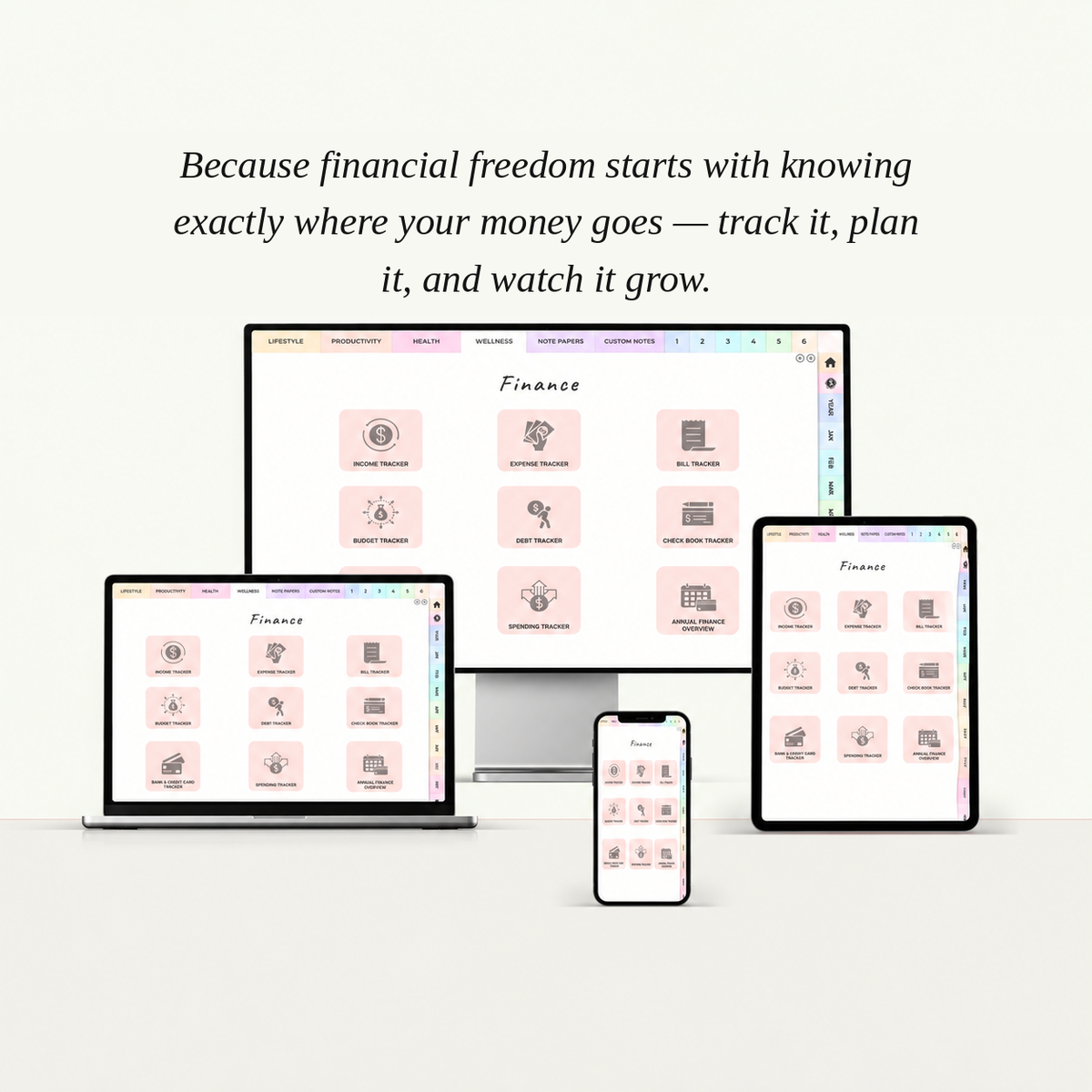
Finance — Income Tracker • Expense Tracker • Bill Tracker • Budget Tracker • Debt Tracker • Check Book Tracker • Bank & Credit Card Tracker • Spending Tracker • Annual Finance Overview
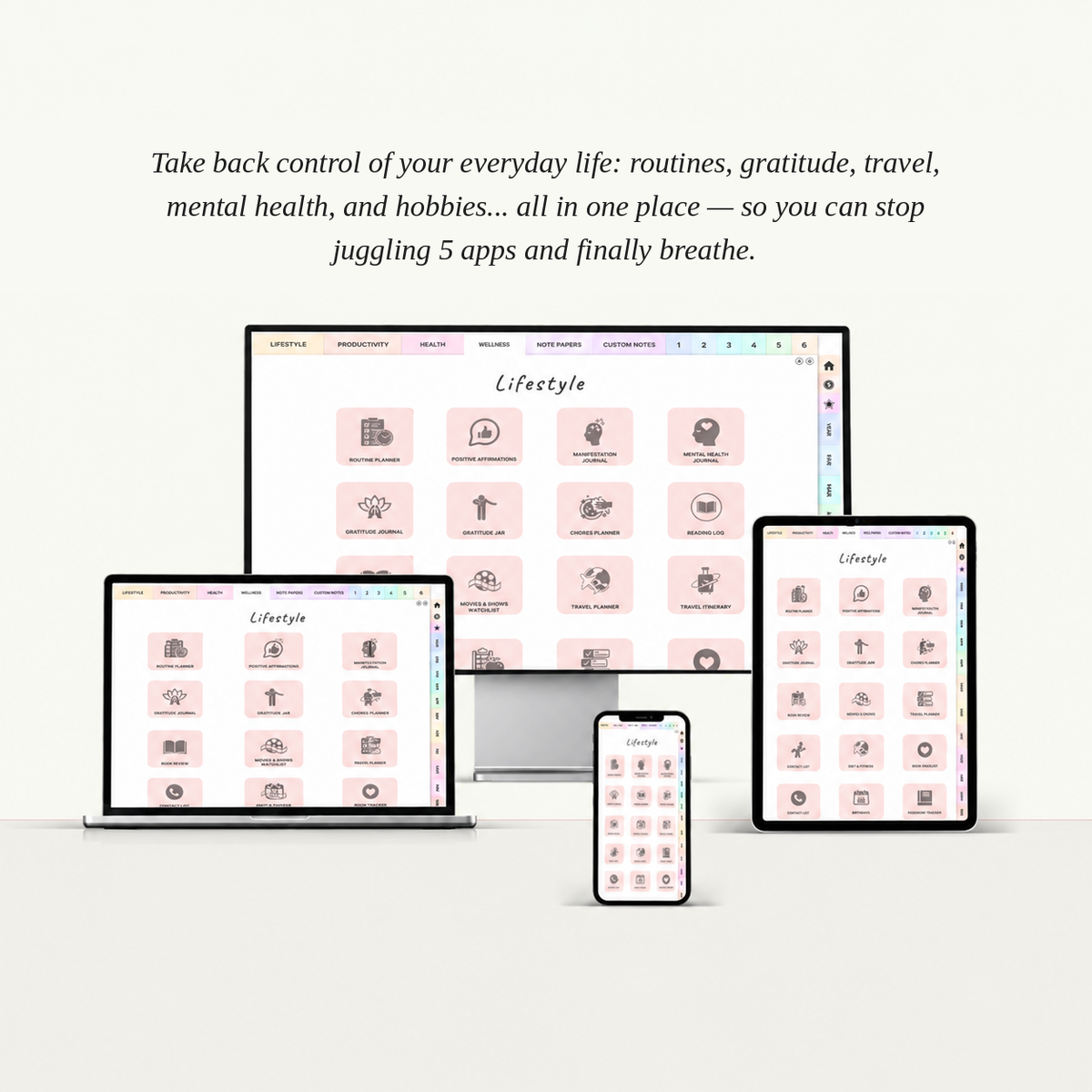
Lifestyle — Routine Planner • Positive Affirmations • Manifestation Journal • Mental Health Journal • Gratitude Journal • Gratitude Jar • Chores Planner • Reading Log • Book Review • Movies & Shows Watchlist • Travel Planner • Travel Itinerary • To Do • Diet & Fitness • Projects • Checklist • Contact List • Birthdays • Book Tracker • Password Tracker
Productivity — Goal Planner • Time Log • 10 Mins Planner • Wheel of Life • Long & Short Goals • 30 Day Challenge • Goal Setting • Logins • Cleaning Schedule
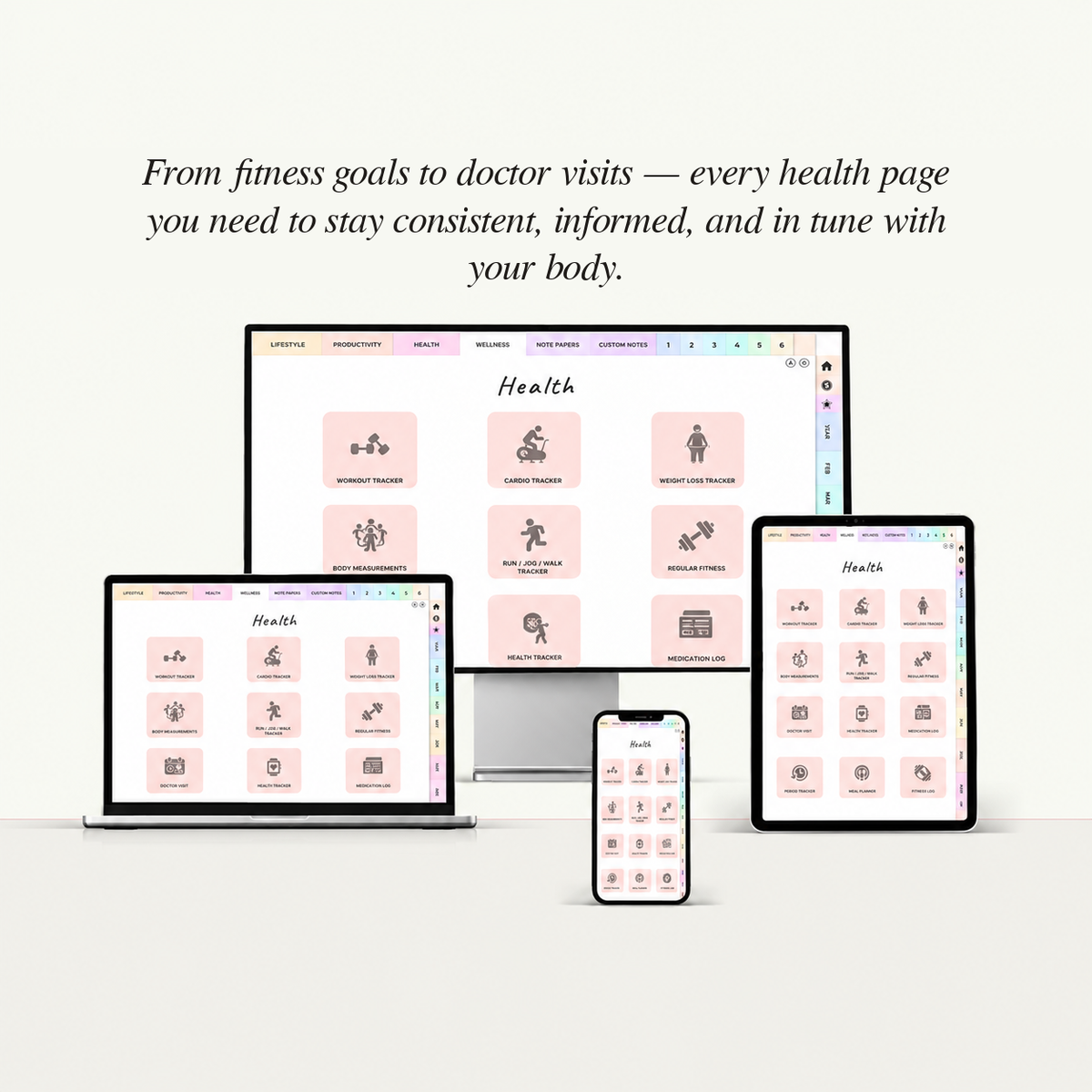
Health — Workout Tracker • Cardio Tracker • Weight Loss Tracker • Body Measurements • Run/Jog/Walk Tracker • Regular Fitness • Doctor Visit • Health Tracker • Medication Log • Period Tracker • Meal Planner • Fitness Log
Wellness — Habit Tracker • Mood Tracker 1 • Reading Tracker • Sleep Tracker • Water Tracker • Steps Tracker • Self Care Goals • Self Care Checklist • Mood Tracker 2 • Mindset Shift • Self Love Letter • Favorite Quotes
Year at a Glance — Yearly Calendar • Yearly Overview • Yearly Vision • Yearly Keydates • Yearly Goals • Yearly Reflection • Yearly Finance
Monthly, Weekly & Daily Planning — Plan your month, week & day with dedicated calendars, goals, reflections, finances & trackers • January to December
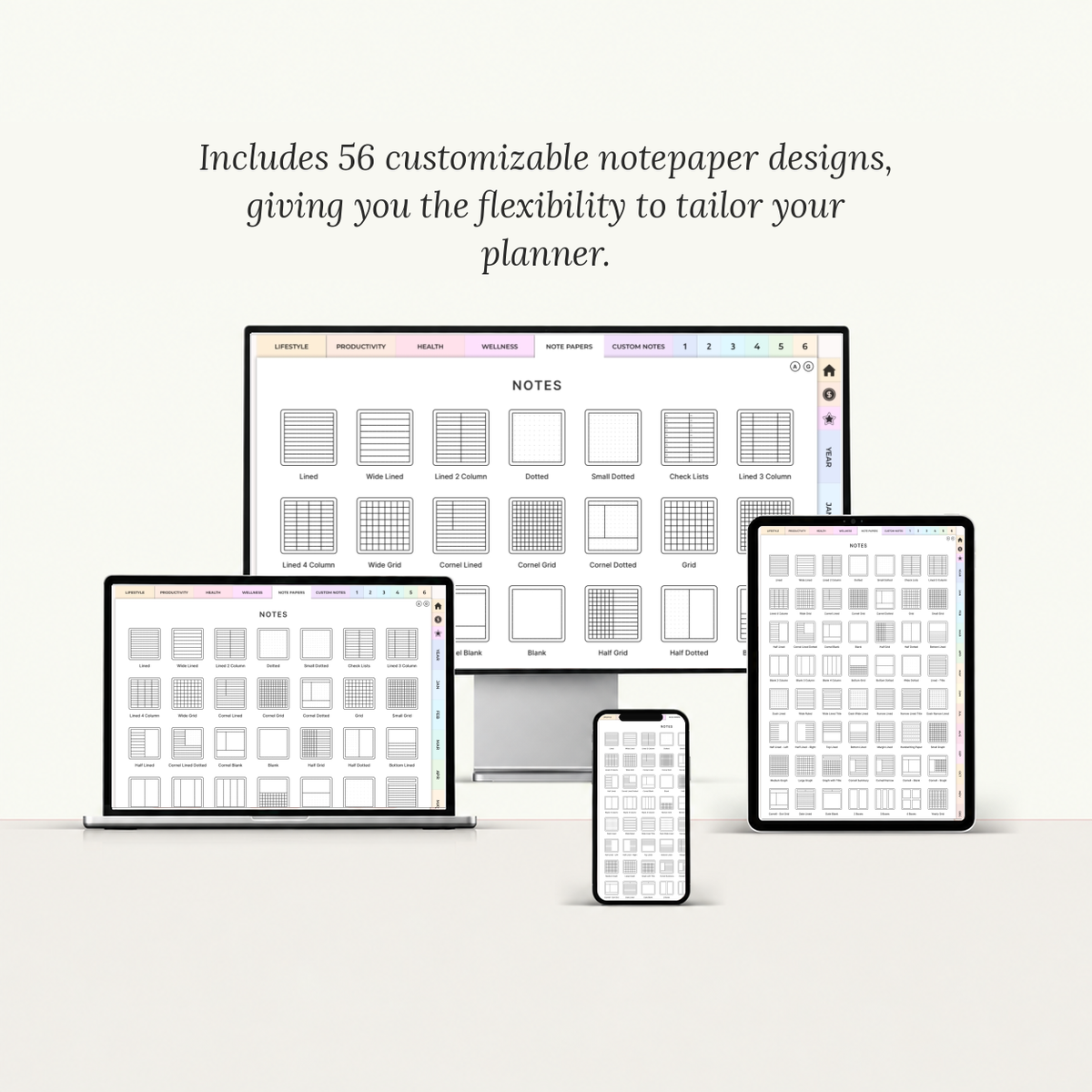
Note Papers — 40+ styles including Lined • Wide Lined • Dotted • Check Lists • Cornell • Grid • Half Lined • Half Grid • Half Dotted • Blank • Bottom Lined • Wide Dotted • Dash Lined • Wide Ruled • Narrow Lined • Top Lined • Margin Lined • Handwriting Paper • Date Lined • Date Blank • 2/3/4 Boxes • Yearly Grid & more
Custom Notes — 6 customizable note pages with dedicated thumbnails
Compatible With — GoodNotes • Notability • Xodo • Samsung Notes
How to Use It
How to Use It
- Download your planner PDF instantly after purchase — all 4 colorways included.
- Import it into GoodNotes, Notability, Xodo, or Samsung Notes as a new notebook.
- Navigate effortlessly with clickable tabs — move between Lifestyle, Productivity, Health, Wellness, monthly, weekly, daily, and finance pages in one tap.
- Plan & personalize with your stylus or finger — organize your days, track habits and goals, reflect, and switch between colorways or note styles whenever you like.
Digital Compatibility
Digital Compatibility
- Created for and recommended use for GoodNotes
- Compatible with: ZoomNotes, Noteshelf, Notability, Drawboard, Xodo, Samsung Notes and most PDF readers.
- Fully hyperlinked pages, high-quality resolution, and improved compatibility.
Download
Download
After checkout, you will immediately receive a secure download link via email. Please ensure the email address used for the purchase is correct and able to receive emails
Shop Policy
Shop Policy
Due to the digital nature of this product, returns, refunds, or exchanges are not accepted. Please ensure that your cart is correct before completing your purchase.
For more details, please read the full policy here.
Need help ?
Need help ?
Contact our customer service at : info@jorrnane.com
Your Space of Digital Possibilities

Why You'll Love It
FLOW WITH FLEXIBILITY
Navigate effortlessly through Health, Wellness, Finance, Productivity, Lifestyle sections & More with fully hyperlinked pages designed for seamless planning.

SPACE FOR INFINITE POSSIBILITIES
Whether you're setting goals, building habits, managing your schedule, or reflecting on your progress, this planner adapts to your unique journey.

EFFICIENCY AT YOUR FINGERTIPS
Access over 800 hyperlinked pages instantly. Stay organized, save time, and keep every aspect of your life in one beautifully designed planner.



A Closer Look
Don't Stay Stuck With...
Jorrnane Planner Helps...
3,000,000+ Users
Millions of people choose Jorrnane Planner as their organizational tool.
Goal Achievement
Turn your goals into clear steps and make meaningful progress every day.
Made for Your Growth
Designed to help you stay focused, organized and consistent throughout the year.
What Customers Are Saying
FAQs
What is a Jorrnane Planner Digital and how does it work?
Jorrnane Planner Digital is a hyperlinked PDF designed for seamless use in GoodNotes, Notability, Xodo, Samsung Notes, and other note-taking apps. Write, plan, and customize every page just like a traditional planner - on your iPad, tablet, laptop, or phone.
Why choose a digital planner over a paper planner?
Digital planners offer flexibility, portability, and customization while still giving you the feeling of intentional planning. Many people love being able to keep everything in one device, reuse templates and personalize their planning experience over time.
Do I need Goodnotes to use the digital planner?
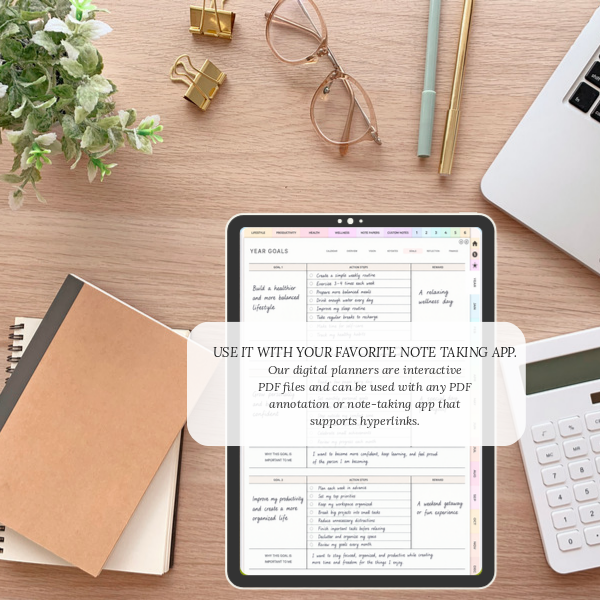
No. While GoodNotes is one of the most popular apps for digital planning, our planners work with many PDF annotation apps. As long as the app supports hyperlinks and handwriting or typing on PDFs, you can use your planner your way.
What apps and devices are compatible with the digital planner?
Our digital planners are designed for iPad, tablet, laptop, and phone. They work best with GoodNotes, Notability, and Xodo, but are also compatible with most PDF annotation apps. Please note: our planners are PDF files and are not editable in Google Docs, Microsoft Word, or Excel.
How do I download and start using my digital planner?
After purchasing, you will receive a link to download your planner file. Import it into your note-taking app of choice, then start planning instantly.
Can I use the digital planner on multiple devices?
Yes! You can import your digital planner onto multiple devices, such as your iPad, laptop and phone, as long as you're logged into the same note-taking app account (e.g., GoodNotes with iCloud). This way your notes and updates sync across devices.

I was lost, exactly where you are today.
I wanted to change everything, my figure, my skin, my confidence, my career, but I didn't know where to start. I had the ambitions. I lacked the method.
For years, I consumed motivational content without ever taking action. Reels, podcasts, inspirational quotes… I felt productive without actually being so. I went to bed each night with the same list of unachieved goals, the same feeling of stagnating.
So I decided to seriously invest in my development. I followed coaching programs, worked with experts in nutrition, skincare, personal finance... I tested dozens of organisation methods, planners, routines. It took me months to sort the essential from the superfluous.
Before
- Vague goals, no structure
- Motivation that fluctuates
- Routines never stuck
- Feeling of stagnation
- Information overload
After
- Clear vision & concrete goals
- Lasting self-discipline
- Daily anchored routines
- Regained self-confidence
- A simple method that works
It's from this personal transformation, real, imperfect, and deeply human, that this Glow-Up Planner was born. I didn't create a marketing product. I distilled two years of experience, mistakes, and discoveries into tools that I wish I had had from the start.
If you're reading these lines, you're probably where I was. And I want to tell you one thing: you don't need to change everything at once. You just need the right system, in the right place, at the right time.
Louise, Founder Jorrnane